Wireframes
Early Phase 1 wireframes, kept as a historical design artifact. Superseded by the locked layout in Design.
Superseded
This page predates PRD v1.1 and is kept as a historical artifact. The layout it shows — Olga as a left-navigation destination with an "Ask Olga" button pinned bottom-right, and the home screen opening directly onto an Olga welcome — has been superseded by the locked three-column layout with Olga's persistent right panel and My View as the home page. The authoritative design reference is Design.
Olga - UI(Static) Home Screen
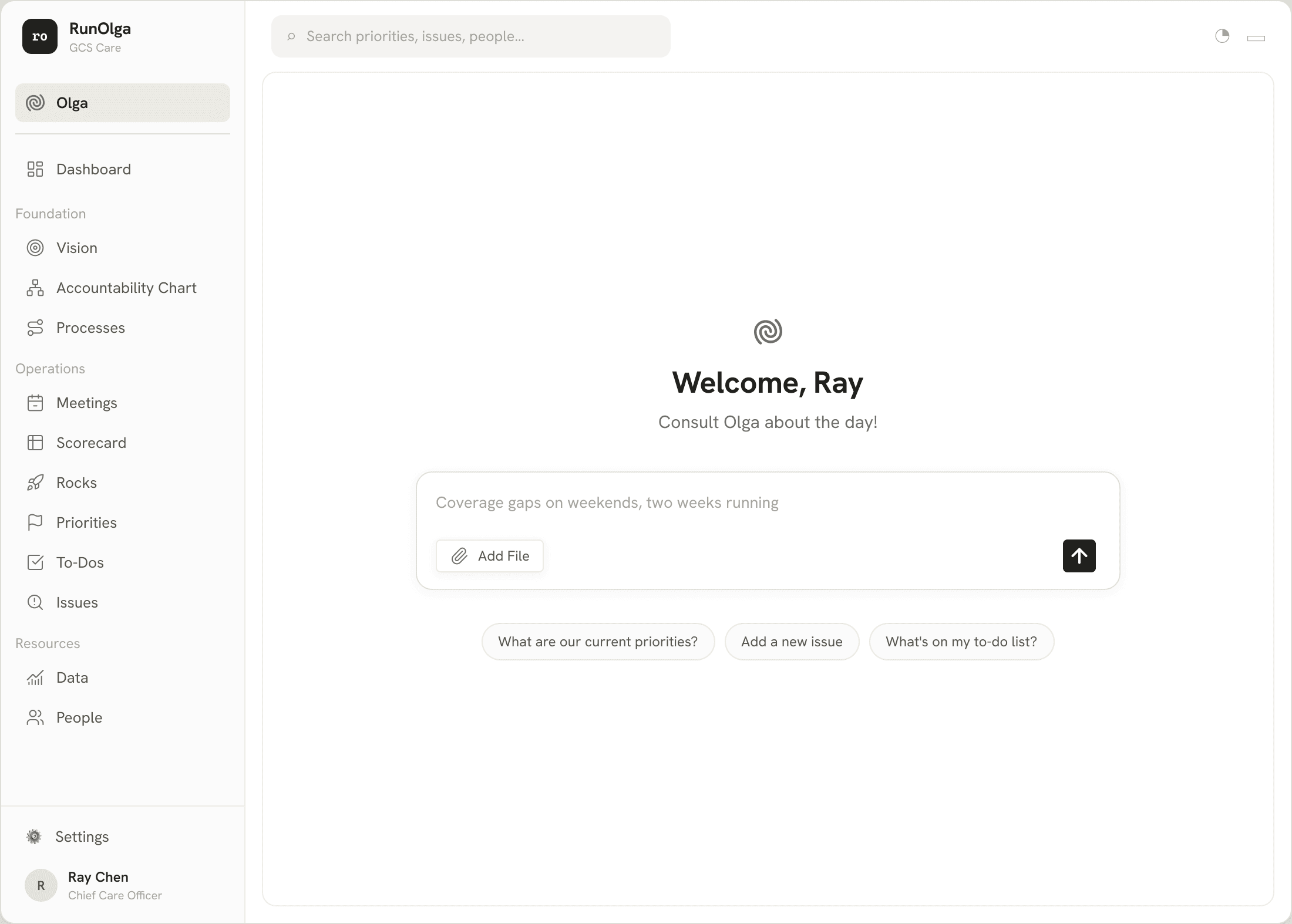
The default landing view as originally wireframed, shown for the founder (Chief Care Officer) in the founding organization's workspace. The left navigation followed an earlier grouping of the RunOlga model (Foundation, Operations, Resources); the centre opened directly onto Olga with a greeting and a single chat input, plus quick-start prompts. Both choices were later revised — the navigation now lists every section directly, and the home page is My View.
Acceptance criteria this frame addressed
The commentary below was written against the pre-v1.1 acceptance criteria; the concepts survive in the current acceptance criteria as noted.
| Criterion (current home) | What this interface shows | Why this is better |
|---|---|---|
| Instance isolation (now criterion 12) | The brand block under the RunOlga mark scopes the whole session to the founding organization's workspace. Every record Olga can read or the navigation can reach is bound to that one tenant — there is no instance picker or cross-workspace surface anywhere on the screen. | The tenant boundary is visible and constant rather than buried in settings, so a user can never drift into another organisation's data. Anchoring isolation in the layout itself — not just in backend checks — means the guarantee is obvious to the person using it, which builds trust and removes a whole class of "wrong instance" mistakes. |
| Conversation continuity (now part of "Verifying Olga's voice") | Olga is permanently reachable from every screen, and the conversation carries across navigation. | Because Olga is always one click away and her context follows you between components, the user never loses their thread or has to restart a conversation when they navigate. The persistent-panel layout that superseded this frame keeps the same property — it makes Olga's presence continuous rather than modal. |